
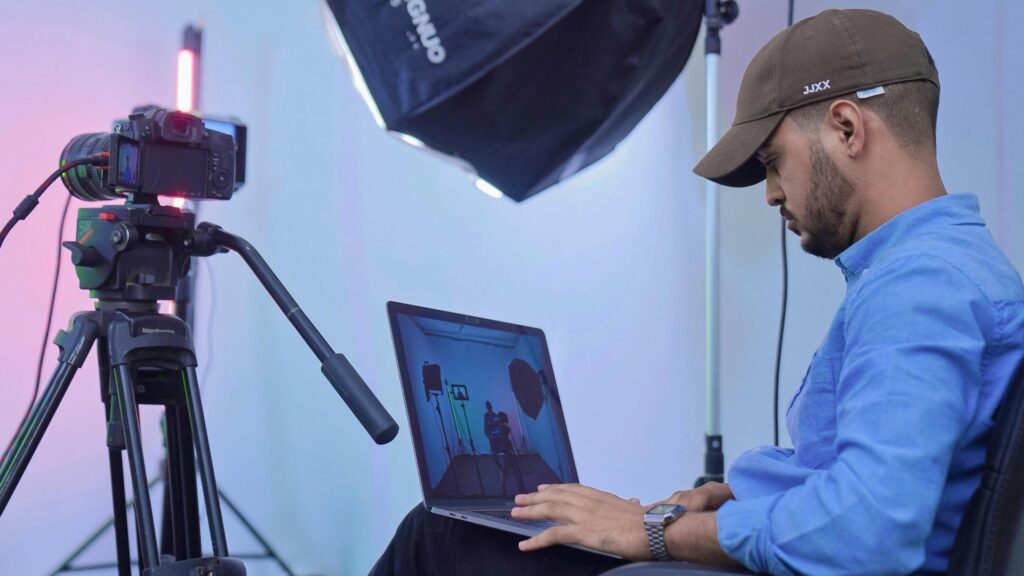
One of the most demanded creative skills in the modern digital world is video editing. Video editing is considered to be one of the most demanded creative skills in the online world. YouTube creators and filmmakers, as well as businesses and marketers, are all dependent on quality video content. In an attempt to be the best in this competitive industry, it is possible to enroll in the best professional video editing courses in order to acquire the appropriate skills, certifications and practical experience.
In this ultimate guide, you will learn the best courses, platforms and learning paths and tips to select the best professional video editing course to your career.
Why Take a Professional Video Editing Course?
A structured course will enable you to learn more efficiently and quickly than by yourself.
Professional courses offer:
- Step-by-step learning paths
- Hands-on projects
- Industry-standard tools training
- Certifications for career growth
The majority of the courses impart vital skills such as cutting, color grading, audio editing, and storytelling, among the major aspects that are involved in professional editing.
Video Editing Course types.
There are many types of courses to choose, before deciding on which one to take, it is worth knowing the types:
1. Beginner Courses
The courses are based on the basics of:
- Basic cuts and transitions
- Timeline editing
- Simple effects
Ideal in beginners.
2. Intermediate Courses
These cover:
- Advanced transitions
- Audio syncing
- Multi-camera editing
3. Professional Courses
These include:
- Color grading and cinematic effects.
- Motion graphics and VFX.
- Professional workflows
Best Professional Video Editing Courses in 2026.
The courses and platforms with the highest ratings that you may take into consideration are the following:
1. Adobe Premiere Pro Training.
The course is among the most popular among beginners and professionals.
What you’ll learn:
- Editing workflows
- Timeline management
- Transitions and effects
It is highly suggested since Adobe Premiere Pro is regarded as an industry-standard software utilized by professionals in the whole world.
2. DaVinci Resolve for Beginners
Prominent for its powerful color grading system, DaVinci Resolve helps editors achieve stunning visuals.
Course essentials:
- Professional color correction
- Audio post-production
- Visual effects basics
It is also a terrific choice as a lot of courses provide free training provided by its official developers, offering the course to both beginners and experienced users.
3. Final cut pro essential training.
This course will be ideal to Mac users and is aimed at rapid and effective editing.
What you’ll learn:
- Magnetic timeline editing
- Professional video workflows
- Exporting high-quality videos
4. CapCut Video Editing Bootcamp.
CapCut is becoming popular with social media creators.
Best for:
- Short content (Tik Tok, Reels)
- Beginner-friendly editing
- Mobile and desktop editing.
This course makes you learn within a short time the editing of current platforms.
5. Masterclass: Video Editing (CreativeLive)
A full course that entails both creative and technical skills.
Key topics:
- Storytelling techniques
- Editing for YouTube
- Monetization strategies
6. School of Motion’s Motion Graphics and VFX Course
Good strong choice for those aiming to expand beyond entry-level editing skills.
Focus areas:
- After Effects
- Motion design
- Advanced animations
The course is perfect to those professionals wishing to specialize in VFX and motion graphics.
7. Coursera Video Editing Courses
Coursera provides university and expert structured courses.
Benefits:
- Certification
- Academic-level training
- Flexible learning
You can be taught skills like storytelling, transitions and post-production using guided programs.
8. Skillshare Video EDIT Classes.
Skillshare provides creative and practical tutorials.
Best for:
- Short lessons
- Creative editing styles
- Affordable learning
9. YouTube Free Professional Tutorials.
YouTube is also amongst the most effective learning free platforms.
Advantages:
- Free access
- Thousands of tutorials
- Real-world project examples
It provides both novice fundamentals and advanced editing processes.
10. All Inclusive Video Editing Bootcamps.
Bootcamps are short-term programs that equip you with a job.
Features:
- Hands-on projects
- Portfolio building
- Career support
These will work well when you want to begin freelancing or even be a professional in a short time.
The Skills You Will Learn.
Videos editing classes usually include:
1. Technical Skills
- Trimming and editing video.
- Color correction and grading.
- Audio editing
- Using editing software
2. Creative Skills
- Storytelling
- Visual composition
- Timing and pacing
3. Professional Competencies
- Client communication
- Project management
- Workflow optimization
Best Video Editing Software You’ll Learn
Professional courses include most of the industry tools like:
- Adobe Premiere Pro
- DaVinci Resolve
- Final Cut Pro
- CapCut
They find extensive application in professional editing, some of which are regarded as industry standards by filmmakers and content creators.
The choice of the right course.
The right course will be determined by your objectives. Here are some tips:
1. Define Your Goal
- Freelancing → Select applicable courses.
- Moviemaking → Select advanced courses.
- Social media → Select short-form editing programs.
2. Check Course Content Look for:
- Hands-on projects
- Real-world examples
- Updated curriculum
3. Consider Certification
Having this certification can open up more career options and improve how others see your professional competencies
4. Budget and Duration
- Free courses → Beginners.
- Paid courses → Improved organization and assistance.
Free and Paid Courses.
Free Courses
Pros:
- No cost
- Flexible learning Cons:
- Limited structure
- No certification
Paid Courses
Pros:
- Structured learning
- Certifications
- Career support
Cons:
- Cost
Career Opportunities on the completion of the courses.
Once you have done professional video editing courses, you can go on to:
- Freelance video editor
- YouTube editor
- Movie and television editing.
- Social media content creator.
- Motion graphics designer
Video editing is a new discipline that is gaining momentum in demand in industries.
Tips on the best way to make the most out of your course.
To maximize your learning:
1. Practice Daily
Editing is a viable skill- practice is necessary.
2. Practice on Practical Projects.
Put knowledge in practice.
3. Build a Portfolio
Present your works of art to draw customers.
4. Stay Updated
Get familiar with new tools and trends.
Top Things to Be Aware of.
- Making an incorrect level of choice.
- Not practicing enough
- Ignoring fundamentals
- Skipping portfolio creation
If you manage to avoid these mistakes, success will come a lot easier than you expect.
Future of Video Editing Courses
The future of video editing education is rapidly changing with:
- AI-powered editing tools
- Online interactive learning
- Real-time collaboration
AI is now widely used in modern learning environments to manage repetitive work, helping editors devote greater attention to creative aspects’
Final Thoughts
Investing in the best professional video editing training can greatly improve your chances of career success. Be it a beginner or a seasoned editor, the appropriate course can lead you to become better, have more confidence and widen your career prospective.
Begin with a course that is on your level and practice and continue to learn. Becoming a professional video editor in this high-demand career can be a success as long as you acquire the right skills and training.
FAQs:
1. What is the cost of professional courses?
It ranges between free and many hundreds of dollars.
2. Do online video editing courses pay off?
Yes, they offer theoretical and practice.
3. What is the time frame to master video editing?
Simple skills can be mastered within a few weeks but it will take months to master.
4. Will I be able to find a job upon graduating a course?
Yes, particularly when you make a good portfolio.
5. Are free courses sufficient to be a professional?
They assist, yet paid courses are more structured and certified.
6. What is the best software to learn?
Adobe premier pro is strongly suggested to beginners.
7. Should I be certified in order to be a video editor?
It is not compulsory, yet enhances believability.
8. Is it possible to learn to edit videos on mobile?
Yes, mobile editing is possible with such tools as CapCut.
9. Will video editing be a good career in 2026?
Yes, demand is increasing with the development of digital content.
