
Introduction to Video Editing.
One of the strongest digital skills that you can acquire today is video editing. Do you have plans to grow your YouTube account, become a freelancer, partner with brands, or do something better with your personal videos? Editing transforms the crude film into a good story. How to start video editing?
Video editing is equivalent to cooking. Raw footage is merely a list of elements. Video editing in this field compares to cooking- raw video is nothing but a collection of elements waiting to be transformed into a substantive video. However, with the amount of editing by cutting redundant parts, inserting music, color work, and scene setting, you come up with something interesting and professional. It is there that the magic works.
Although you may be an absolute beginner, there is nothing to fret about, as this simple step-by-step guide will guide you on everything.
What Is Video Editing?
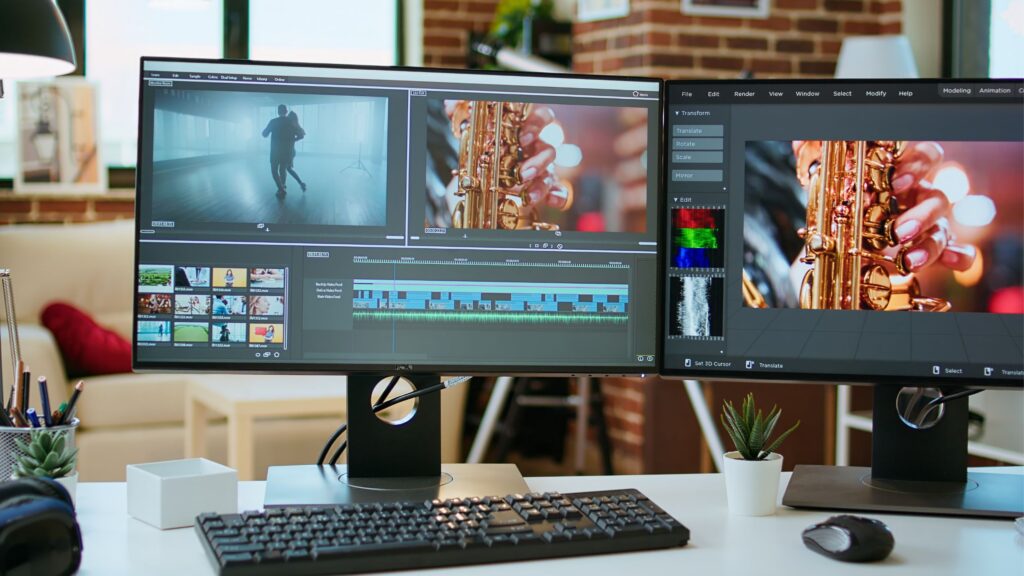
Video editing is the procedure of selecting, assembling, cutting, and polishing of video clips in order to create a complete work. It includes:
Slicing unwanted Portions,
- Including music and sound effects,
- Changing brightness and color,
- Adding text, titles, and subtitles, and
- Exporting the final video in the appropriate format are some of the tasks it can perform.
Video editing is a story-telling. Good editors are interested in being plain, touching, and fluent as opposed to glitzy.
Why Video Editing Is a Marketable Skill in 2026
By 2026, nearly all platforms will be ruled by video content:
- YouTube
- Instagram Reels
- TikTok
- Online courses
- Advertisements
- Business websites
Video editors are always in demand by brands, influencers, teachers, and companies. The demand is increasing annually because video is more effective than text or pictures at attracting attention. Are you worried about how to start video editing?
Therefore, by learning to use video editing, you can:
- Start freelancing from home
- Work full-time for agencies
- Edit your own YouTube videos
- Make additional money as a part-time job
- Build a digital career over the long term.
It is an art that paves the way and remains pertinent.
Preparation Before how to Start Video Editing: The Essentials.
Types of Video Editing
1. YouTube and Content Creation Editing.
This style focuses on:
- Clear storytelling
- Jump cuts
- Fast pacing
- Keeping viewers engaged
It is used by vloggers, teachers, and internet creators.
2. Cinematic & Film Editing
This type focuses more on:
- Emotion
- Smooth transitions
- Sound design
- Color grading
It is tedious and time-consuming, but once mastered, it is very gratifying.
3. Short-Form Social Media Editing
This is what is in demand now. It includes:
- Vertical videos
- Fast cuts
- Captions and emojis
- Attention-grabbing hooks
Short-form editing is effective because people watch fast videos in everyday life.
Videography Editing Glossary
Simple terms are used in order to simplify tutorials
- Timeline – This is the working area of the workspace.
- Cut/Trim – The removal of unwanted areas.
- B-Roll – other shots that make videos interesting.
- Rendering – Final video processing and export.
- FPS (Frames Per Second) – The ease of the video.
- Quality – The video quality (e.g., 1080p, 4K).
- Bitrate – controls file size and video quality.
These will be the terms that will simplify your learning process.
The Video Editing software to the Right.
You do not have to have fancy software with few dollars. Start simple.
Software for Free Video Editing
- DaVinci Resolve – Professional level.
- CapCut – Social media-ready and easy to use.
- iMovie – Good for Mac beginners.
Video Editing Software-Premium
- Adobe Premiere Pro – Standard for Industry.
- Final Cut Pro – Mac-speedy and optimized
- Filmora – Simple and easy to use interface
Remember: the tools do not make you good. Practice does.
Smooth-edit Hardware Requirements.
There is no need to have a supercomputer to boot.
PC vs Laptop
- Laptops are portable.
- PCs are easier to upgrade.
Both of them make better on the condition of meeting minimum requirements.
Minimum & Recommended Details or Features
- RAM: 8GB (16GB Advised)
- CPU: Above 5 and 5 generation
- Storage: SSD to attain a superior performance.
- GPU: Not essential, but helpful to new users.
When there is a weak system, then it would be more appropriate to edit in 1080p rather than 4K so as to avoid lag.
Creating your initial working environment in editing
How to Organize Files like a Pro.
Create folders for:
- Raw Footage
- Audio
- Images
- Project Files
- Exports
Proper organization is time-saving.
Provide an Efficient Editing atmosphere
- Use headphones
- Remove distractions
- Edit in concentration 45-60 minute sessions.
- Have breaks to rejuvenate the creativity.
The process of editing is psychologically taxing. Stay patient.
Mastering the Basics of Video Editing.
1. Cutting and Trimming
This is the foundation. Remove:
- Mistakes
- Long pauses
- Repetitions
- Boring parts
Clean cuts make viewers interested.
2. The addition of Transitions Properly.
Novices tend to make excessive use of transitions. Avoid that.
Basic cuts tend to be stronger than glamorous effects. Transitions should not be used unless they facilitate the story.
3. Working with Audio
Sound is more significant than image quality.
Learn to:
- Reduce background noise
- Balance voice levels
- Properly add background music.
- Use sound effects wisely
Poor sound spoils the best of images.
4. Text, Titles, and Subtitles Additions.
Captions enhance the viewing duration particularly in the social media.
Tips:
- Keep text readable
- Use simple fonts
- Maintain consistent style
- Do not cram too many things onto the screen.
Videos are also accessible through subtitles.
5. Simple Color Correction & Grading.
Issues are corrected in color.
Color grading adds mood.
Start with:
- Brightness
- Contrast
- Saturation
- White balance
Don’t overdo colors. Natural looks professional.
Learning Video Formats and Export Settings.
One should choose the right export settings.
Optimal Formatting
- MP4 (H.264)
Resolution
- 1080p H.264 – works everywhere, except on the big screen, but it is heavy and large files.
- 4K– Large files of high quality, but heavy.
Frame Rate
- 30 FPS – Normal
- 60 FPS – Smoother movement
Bitrate
The larger the bit rate the larger the quality and file size.
The beginners are to use export in 1080p, 30 FPS, MP4 (H.264). It works for most platforms.
How to Practice as a Beginner
On theory you will not be good.
Free Practice Footages Location.
- Pexels
- Pixabay
- Mixkit
Download free and Get clips and play.
Simpler Project Ideas
- Travel montage
- You Tube intro
- Instagram reel Before/after transformation.
- Limited film editing
Train continuously. Repetition is one of the methods of improvement.
How to Improve Faster
1. Study Using Manuals
You can find a lot of free education on YouTube. Watching random videos is not using one editor.
2. Assess Videos of the Profession.
Stop the video and inquire:
- Why did you cut this video?
- Why did the music change here?
- Why is this scene longer?
Reverse-engineering is what causes you to study about editing logic.
3. Seek Feedback
Post on Social Sites or to friends. Positive criticism will see you grow quick. Do not receive feedback personally.
How to Create Video Editing Portfolio.
Portfolio is a pre-requisite when you are all set to earn.
What to Include
- Your best 510 edits
- Various styles
- Short, high quality samples
It is not the number, but the quality.
Where to present your work
- Google Drive
- You Tube
- Behance
- Personal site
Remain your presentation clean and professional.
How to Start Video editing: making a living as a video editor
Having acquired some experience you can start earning.
Online service platforms
- Fiverr
- Upwork
- People/Hour
Start small and build reviews.
Long-Term Opportunities
- Editing for YouTube creators
- Social media brand editing
- Working with agencies.
The stability creates the fixed revenue.
Beginner Slip-ups to Keep away from
1. Effects Overuse
Effects should not distract the story.
2. Ignoring Bad Audio Quality
Bad audio is forgiven by Audience whereas bad visuals are not.
3. Not Backing Up Projects
Save a backup on:
- External drive
- Cloud storage
It hurts to lose a project. Avoid it.
Video Editing AI Future of video editing
AI tools enable:
- Auto-cutting clips
- creating captions
- Remove background noises
- proposing edits
However, Creativity and storytelling are areas that require human skills.
Trends you should be ready for
- Short-form content
- Vertical videos
- artificial intelligence-based workflows
- Light-speed editing styles
It will keep you ahead of the pack.
Conclusion
Video editing is not an easy task, so don’t worry about how to start video editing. However, it is possible to make it through the process with the help of training. Just like learning to ride a bicycle, you may feel that the initial practices are not so steady, but when the initial knowledge in place you may move into a natural flow.
Start simple.
Practice daily.
Focus on narration, not on effects.
Video editing does not deal with perfection. It’s about improvement. The first one is that you can begin today and even better tomorrow, and you can also have your own creativity evolve with time.
FAQs
Is it difficult to edit video to a novice?
No. It is easy to get confused at times yet once the fundamentals are mastered it becomes easy.
What is the most user friendly software?
It would be a good start with CapCut and DaVinci Resolve.
How many days would it take to know how to edit videos?
Basic skills can take 2–4 weeks. It does not take skillfulness a few months.
Can videos be edited on the low-end PC?
Yes. Cut in 1080p with use of the light software.
Is Video editing the correct career choice?
Absolutely, Industries are still on the rise in terms of video content.
